
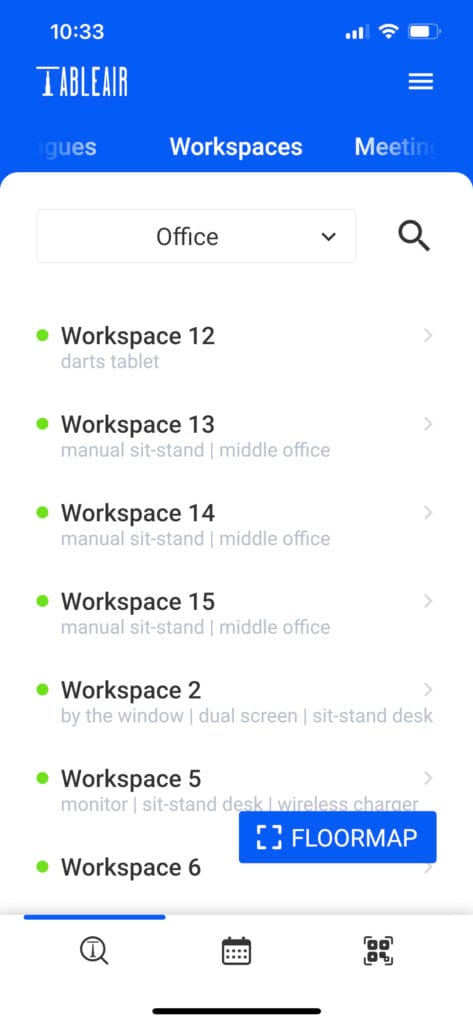
Once you log in, you will be taken to the Workspace list. Here, you can view all resources available in the selected venue.
Select any workspace and click on it.
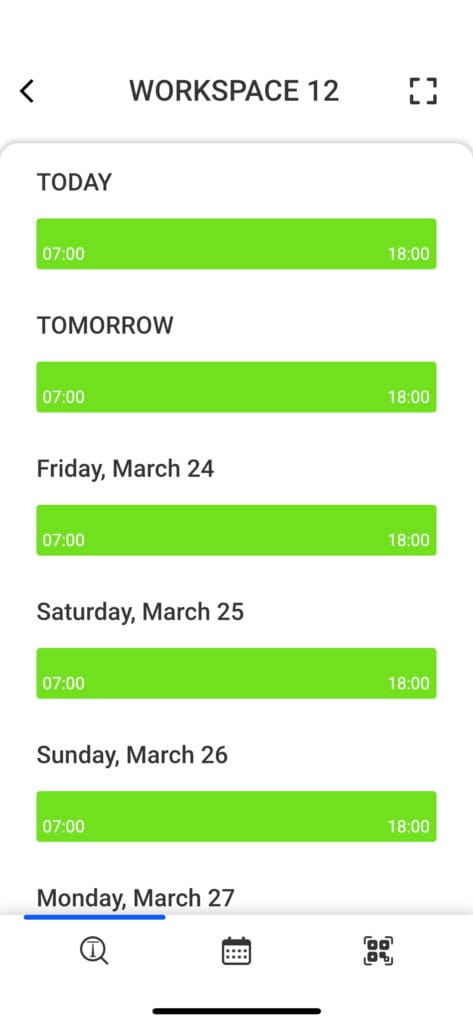
You will be shown a list of timelines, which represent days.
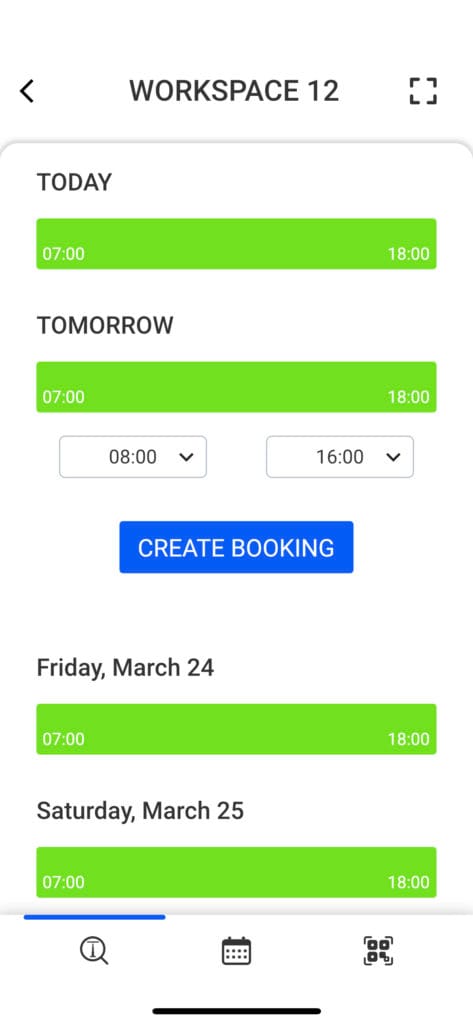
Select a day by clicking on the green bar.
Select the booking time and click the Create Booking button.
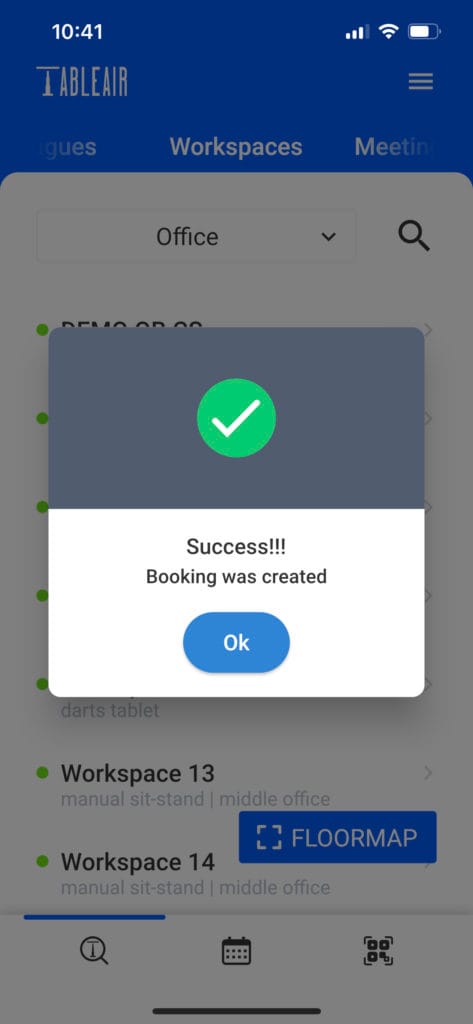
A pop-up message will confirm whether the booking was created successfully.